 Ghostpilot
Home · Works with · FaceTime
AI interview assistant for FaceTime
On a Mac, Ghostpilot hears FaceTime audio and video calls and shows each question with a suggested answer from your CV, in an overlay next to the call.
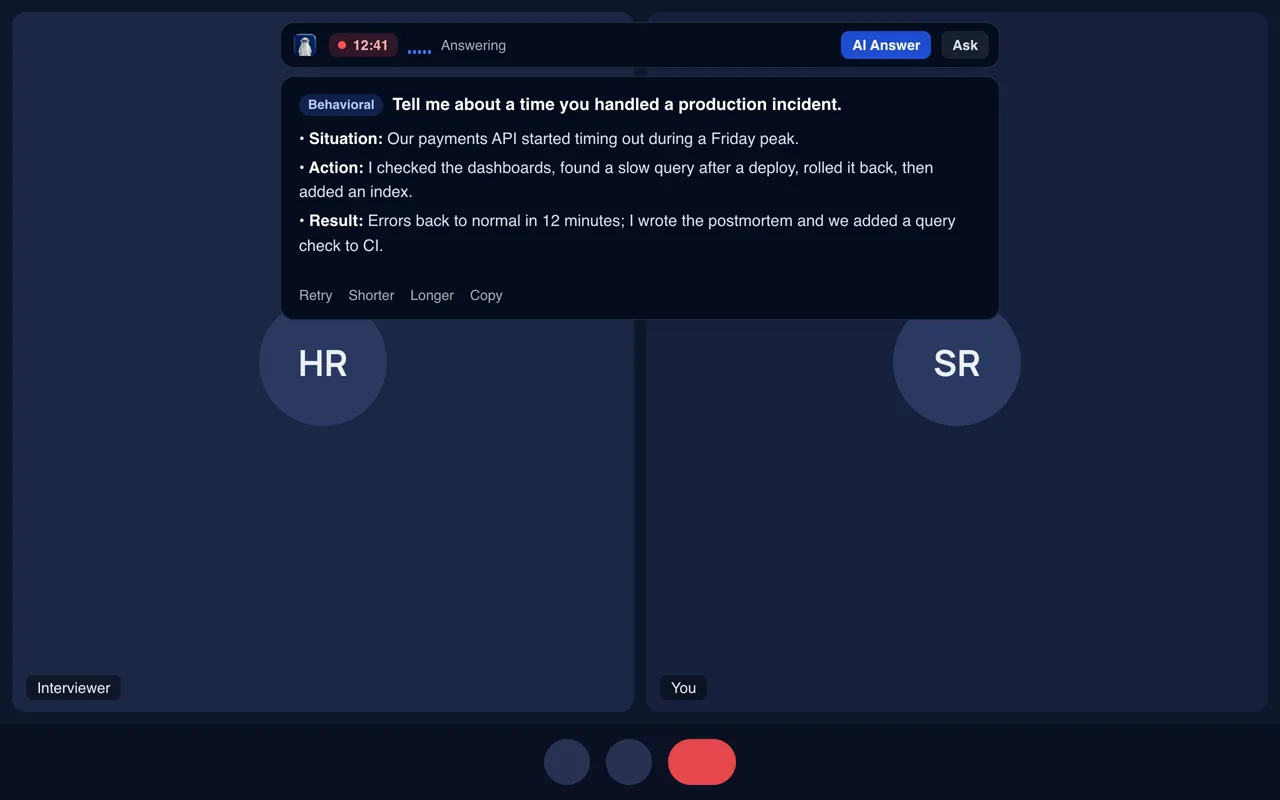
FaceTime is Mac only. Ghostpilot detects FaceTime calls and offers to listen. The overlay is left out of ScreenCaptureKit captures; run the built-in check before sharing your screen.
Set it up for FaceTime
Ghostpilot notices the call and offers to listen.
- Start or answer the FaceTime call on your Mac.
- Ghostpilot offers to listen when the call starts. Press Start.
- Calls you take on your iPhone can be continued on the Mac, or put the phone on speaker and choose Mic only.
What you get during the call
- The question, as it's asked. A live transcript, with each real question picked out so small talk doesn't trigger answers.
- An answer from your own experience. Written from your CV and the job description, in STAR form for behavioural questions, in the call's language.
- Coding and screenshots. Capture a problem on screen to get the approach, the code and its complexity.
- Notes afterwards. The transcript and answers stay on your computer; meeting mode writes up decisions and action items.
Before the call
- Upload your CV and the job description in the dashboard, or set up a session with the company and role.
- Run the built-in screen-share check once on your computer.
- Do a two-minute test call with a friend, or a mock interview, so nothing is new on the day.
Use Ghostpilot only where AI assistance is allowed. If an employer, school or exam doesn't permit assistants, respect that.
Try it on your next FaceTime call
Free plan: 2 live interviews and 3 mock interviews every month, no card needed. FaceTime needs the Mac app.
Frequently asked questions
Does it work with FaceTime on iPhone?
Hand the call to your Mac, or put the iPhone on speaker next to the Mac and choose "Mic only (phone on speaker)".
Is there a Windows version for FaceTime?
FaceTime runs on Apple devices. On Windows, a FaceTime link opened in a browser works by choosing that browser under Listen to.
Works with other apps too
Zoom, Google Meet, Microsoft Teams, Webex, Slack, FaceTime, Chrome and Visual Studio Code are trademarks of their owners. Ghostpilot is not affiliated with or endorsed by them.